

Scams We’re Seeing Right Now
A calm, plain-language look at common email and text scams — and what to do instead.
Last reviewed: January 2026
Scams change constantly, and many messages are designed to look legitimate at first glance. You’re not expected to know all of the warning signs — especially when something arrives unexpectedly or feels urgent.
This page highlights a few common email and text scams we’re seeing lately, along with simple guidance on what to do instead.
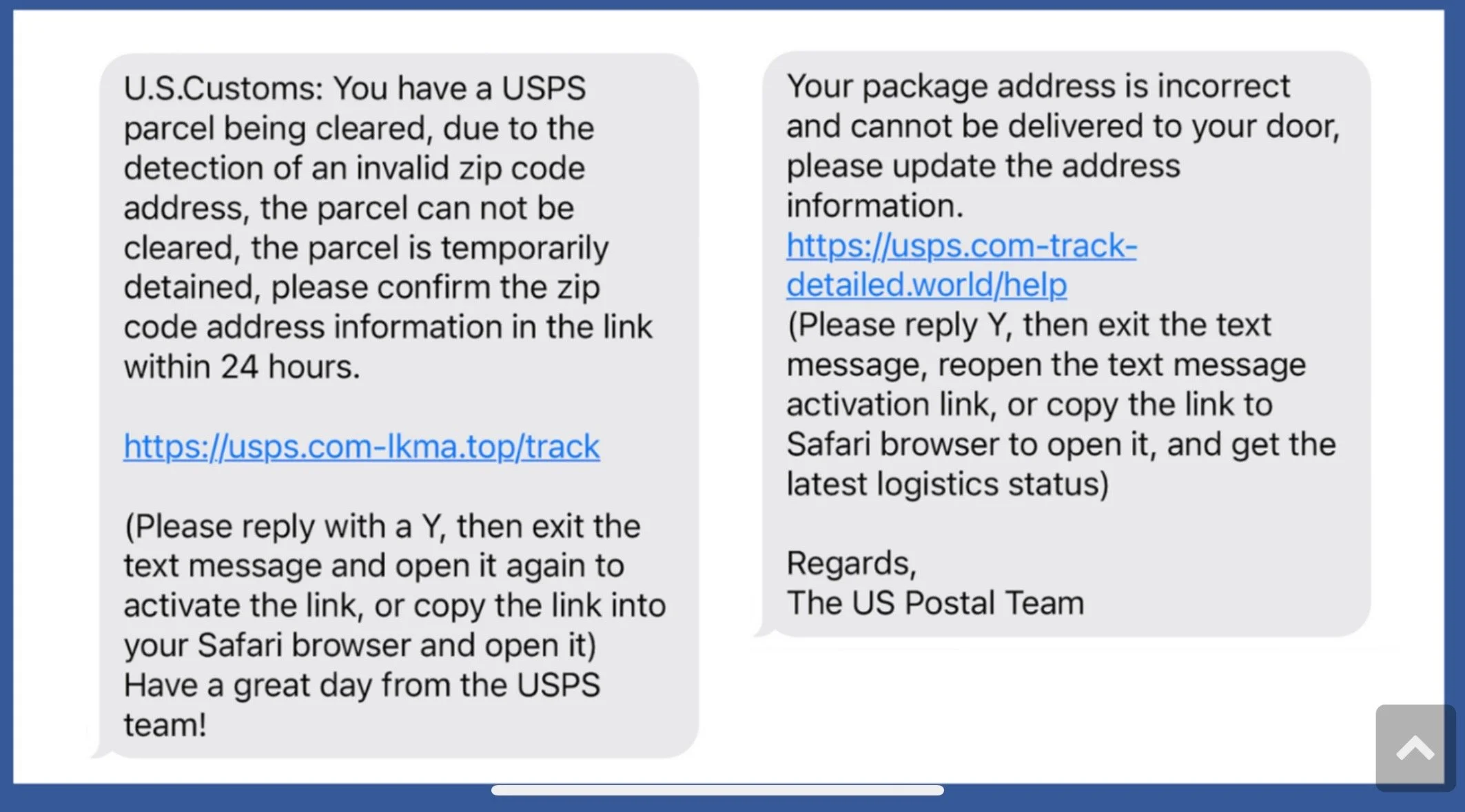
SCAM: Fake Package Delivery Texts
What it looks like
You receive a text saying there’s a problem delivering a package — often from USPS, UPS, FedEx, or Amazon. The message may include a link and say you need to “confirm details” or “reschedule delivery.”
Why it works
Many people are expecting packages, and the message creates a sense of urgency before you’ve had time to think it through.
What to do
Don’t click the link.
Delete the message.
If you’re truly expecting a package, check directly on the company’s official website instead.
When to pause and ask for help
If you’re unsure whether the message is real, it’s okay to stop and get a second opinion before taking any action.
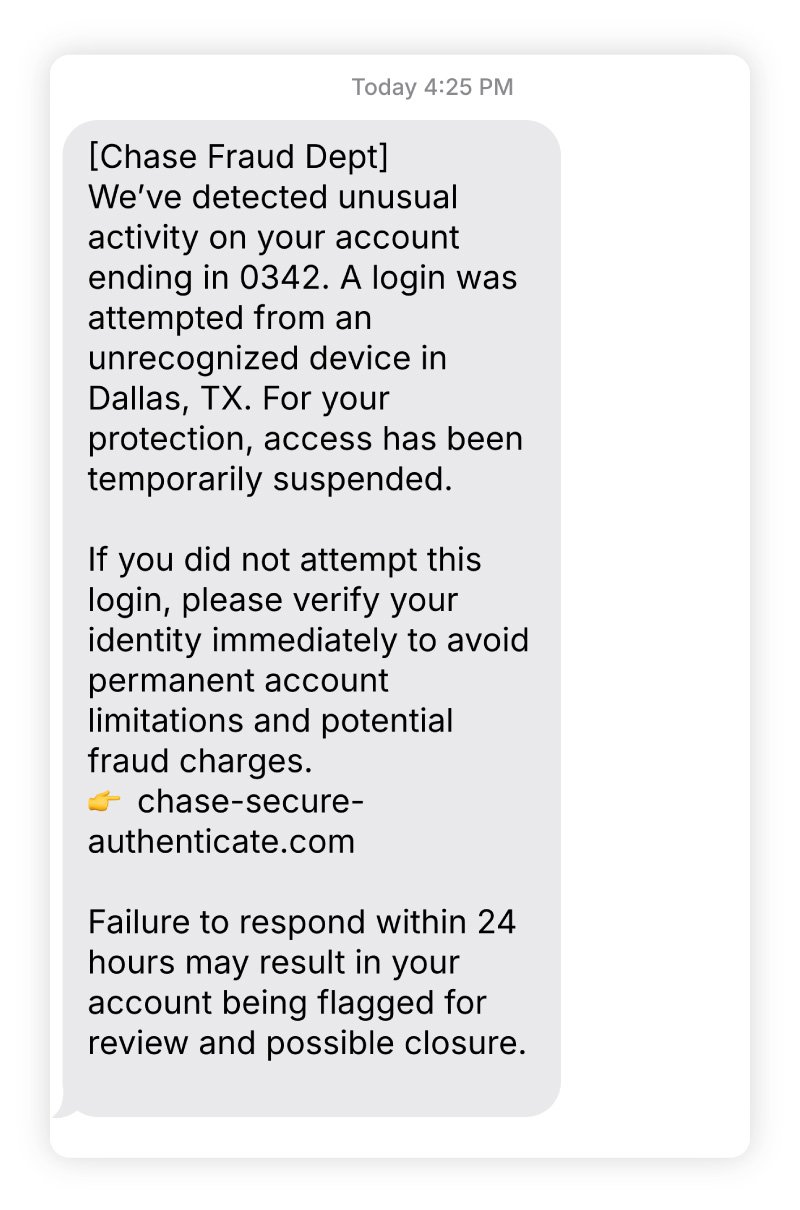
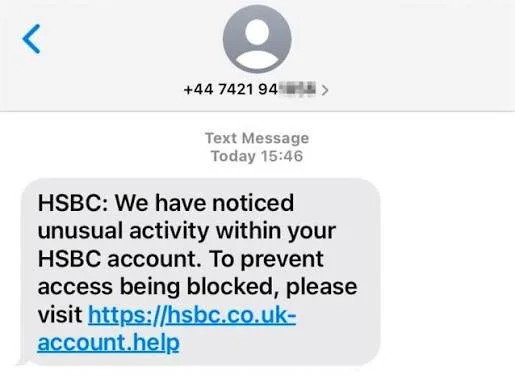
SCAM: Bank or Credit Card “Suspicious Activity” Alerts
What it looks like
You receive a text or email claiming there’s suspicious activity on a bank or credit card account. The message urges you to click a link or call a number immediately to “secure your account.”
Why it works
It creates fear around financial loss and pushes for quick action before you’ve had time to verify the message.
What to do
Don’t click links or call numbers provided in the message.
Check your account by logging in directly through your bank’s official website or app.
When to pause and ask for help
If you’re unsure whether the alert is legitimate, it’s okay to stop and get a second opinion before responding.
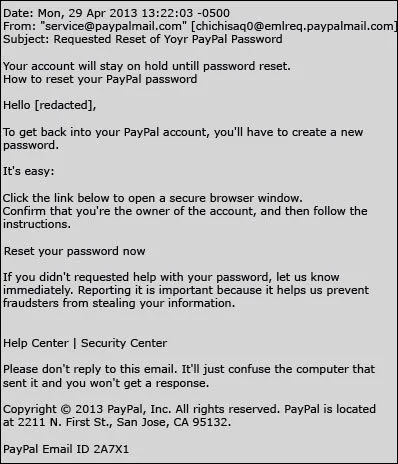
SCAM: Account Password Reset Emails
What it looks like
An email says someone tried to sign in to an account (such as Amazon, Apple, Google, or email) and asks you to reset your password using a provided link.
Why it works
These messages look familiar and official, and they tap into the fear of being locked out of an important account.
What to do
Don’t click the link in the email.
Go directly to the company’s website and check your account activity there.
When to pause and ask for help
If you’re not sure whether the email is real, it’s okay to pause and ask someone to look at it with you.
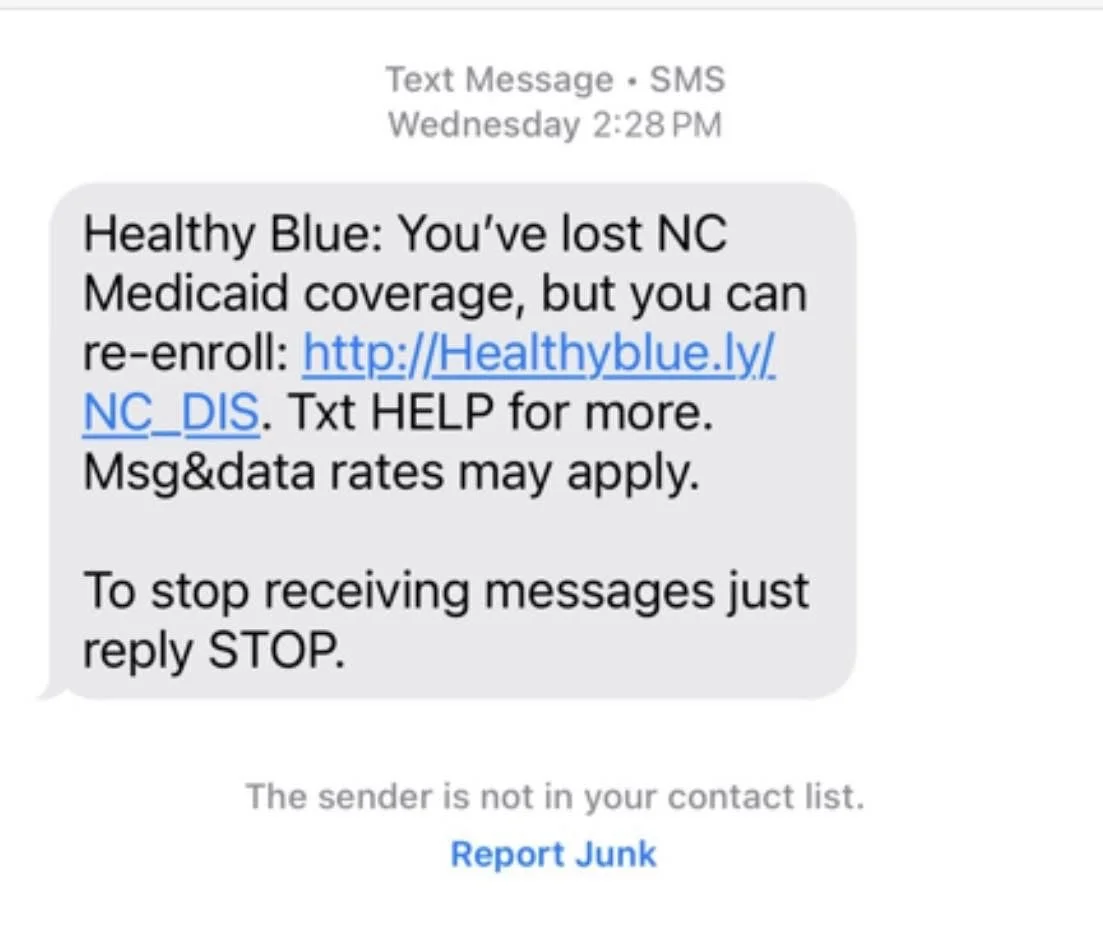
SCAM: Medicare, Insurance, or Benefits Messages
What it looks like
You receive an email, text, or voicemail claiming there’s a problem with Medicare, insurance coverage, or benefits and asking you to confirm information or take immediate action.
Why it works
These messages use authority and fear around healthcare or benefits to pressure quick responses.
What to do
Don’t share personal information in response to the message.
Contact Medicare or the insurance provider directly using the phone number on your official card or paperwork.
When to pause and ask for help
If the message feels confusing or urgent, it’s okay to stop and get a second opinion before responding.
SCAM: “Unusual Sign-In” or Security Warning Emails
What it looks like
An email claims there was an unusual sign-in attempt from a new device or location and asks you to review activity or secure your account.
Why it works
It creates concern about privacy and safety, making the message feel important and time-sensitive.
What to do
Don’t click the links in the email.
Sign in directly through the company’s official website to review your account.
When to pause and ask for help
If you’re unsure whether the warning is legitimate, it’s okay to pause and ask for guidance before taking action.
If a message feels confusing or stressful, you don’t have to figure it out alone.
This is exactly the kind of situation we help families navigate during an Inbox Rescue session.